Zapier

About Zapier integration

Zapier is a tool that allows users to connect different web applications and run tasks between them by defining triggers and actions.

Zapier integration is available from the Staff plan and requires manual activation by the support team.

The integration lets you create feedback tickets in Timebook from the connected application on the conditions defined in Zapier – for example, by escalating customer feedback from your support platform.

As for now, the integration can perform the following actions:

  • populate the title, description, and email address from the source

  • set the severity level of the ticket

  • assign the ticket to the selected team

Configuration

1

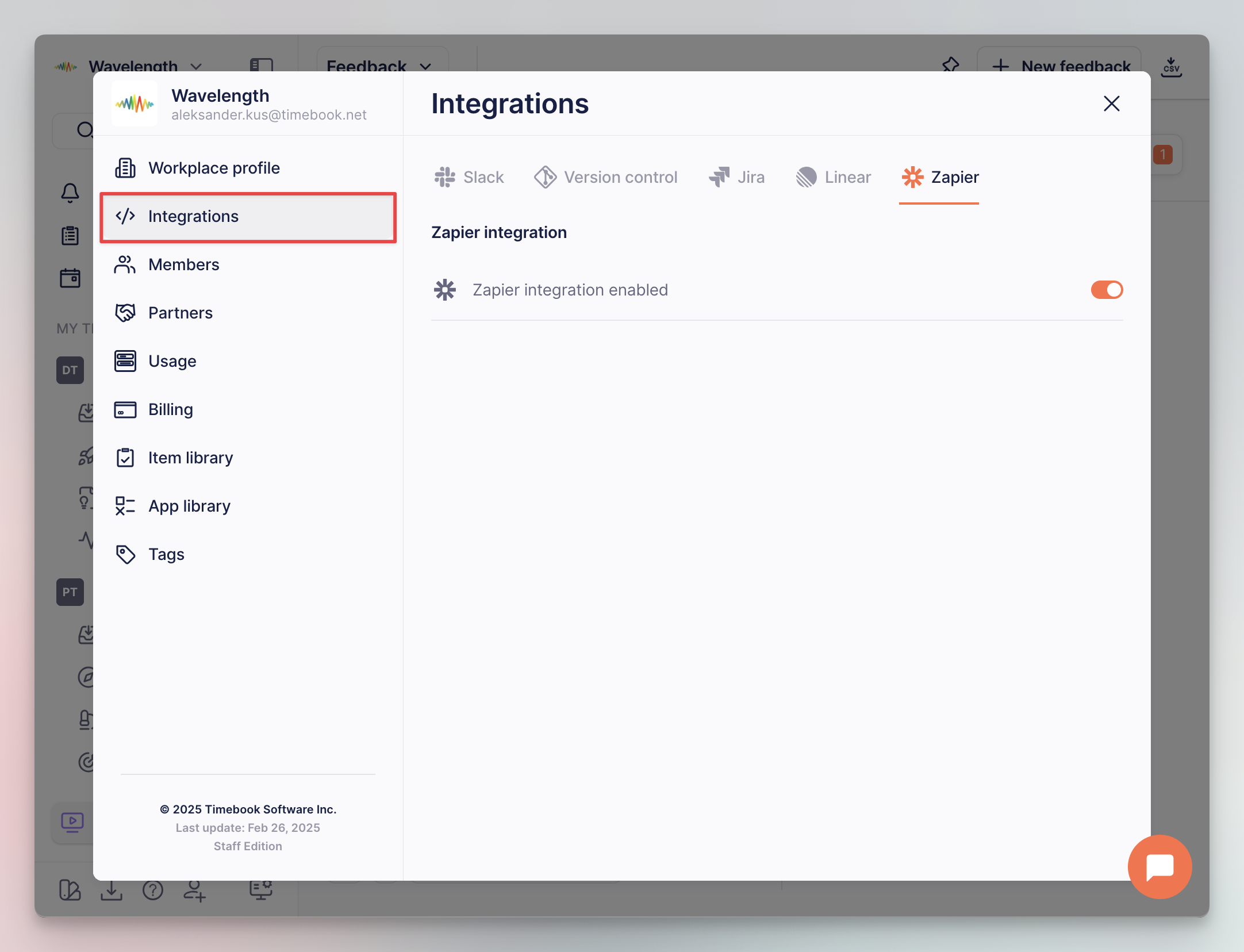
Go to Workspace settings, switch to the Integrations tab, and enable Zapier on the workplace level:

Zapier integration in workspace settings
2

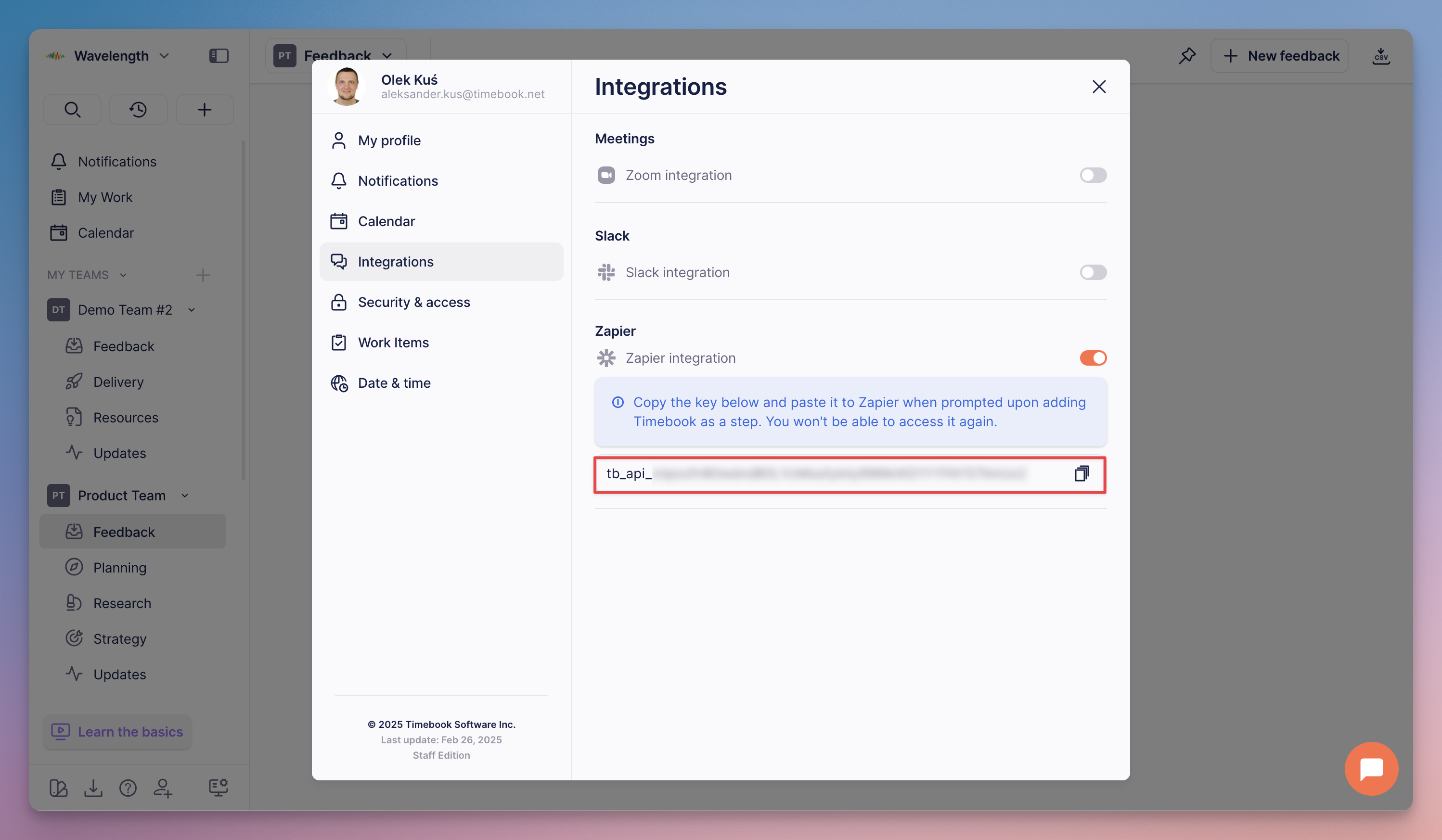
Next, go to your user Preferences, switch to the integrations tab, and flip the Zapier switch. The action will generate an API key required by Zapier:

Zapier integration in user preferences
3

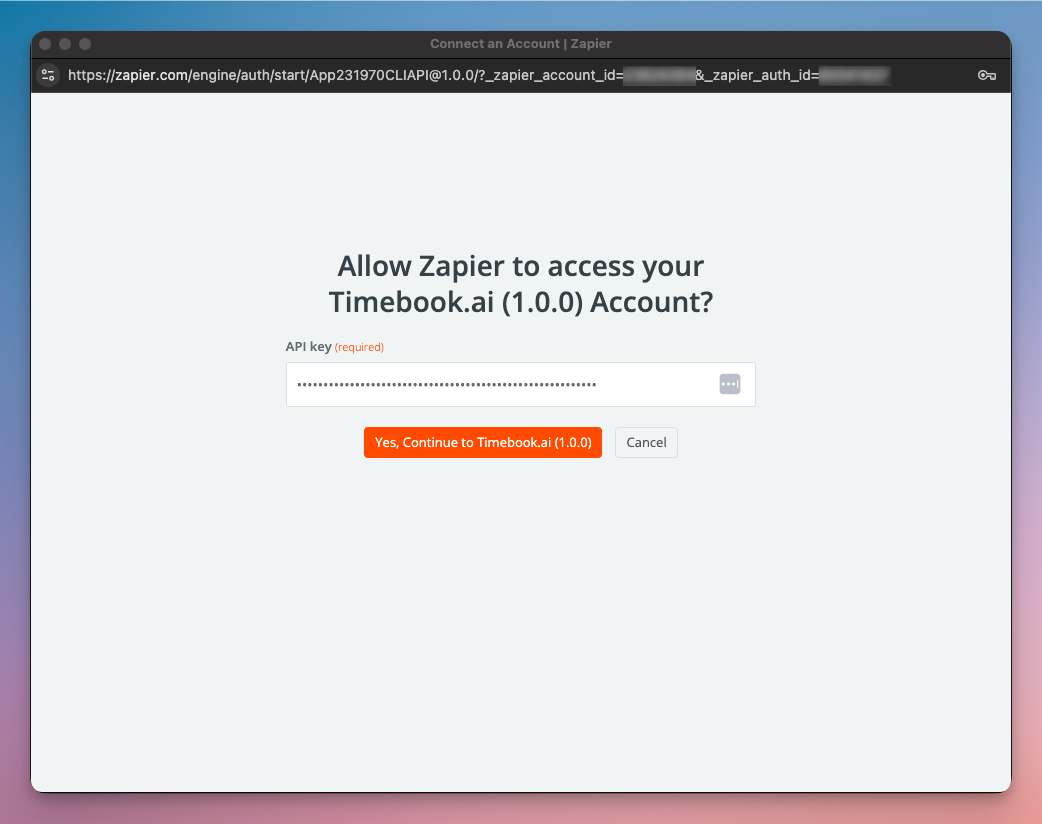
Now, go to Zapier, add Timebook as a step, and paste the API key from the previous step once prompted:

API key prompt screen in Zapier

Zap configuration

At the moment the integration does not support Timebook as a trigger source. If you're interested in such feature, please contact our team.

1

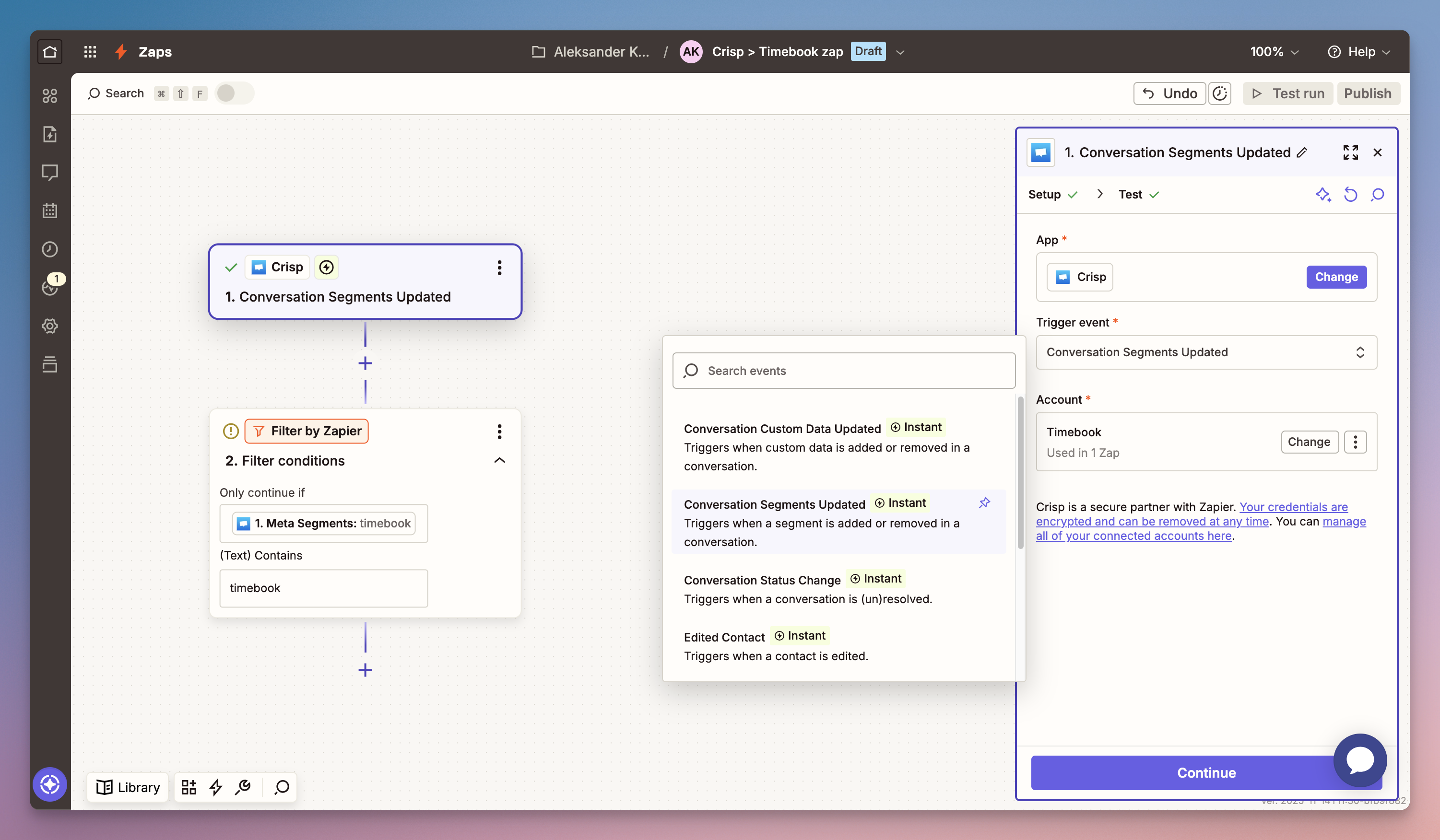
Add the first step and define the trigger action. Here we use Crisp as the source app, and updating conversation segment (tag) as the trigger event.

We also apply a filter which restricts the trigger segment to 'timebook'. In other words, the message will be forwarded to Timebook upon applying this tag to a user in Crisp.

Zap configuration: source & filter
2

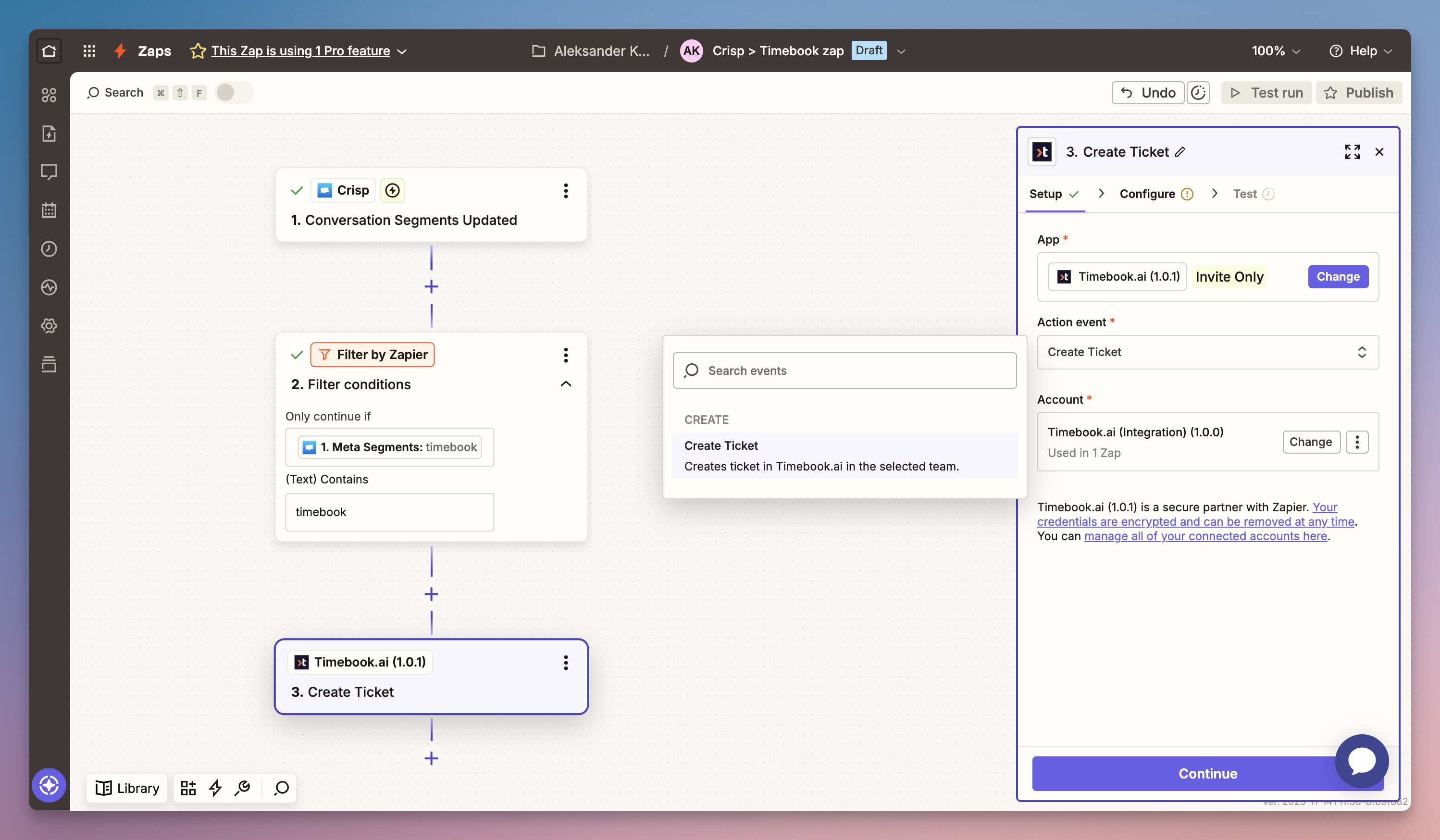
With the trigger configured, we can now add Timebook and the action event to perform:

Zap configuration: action
3

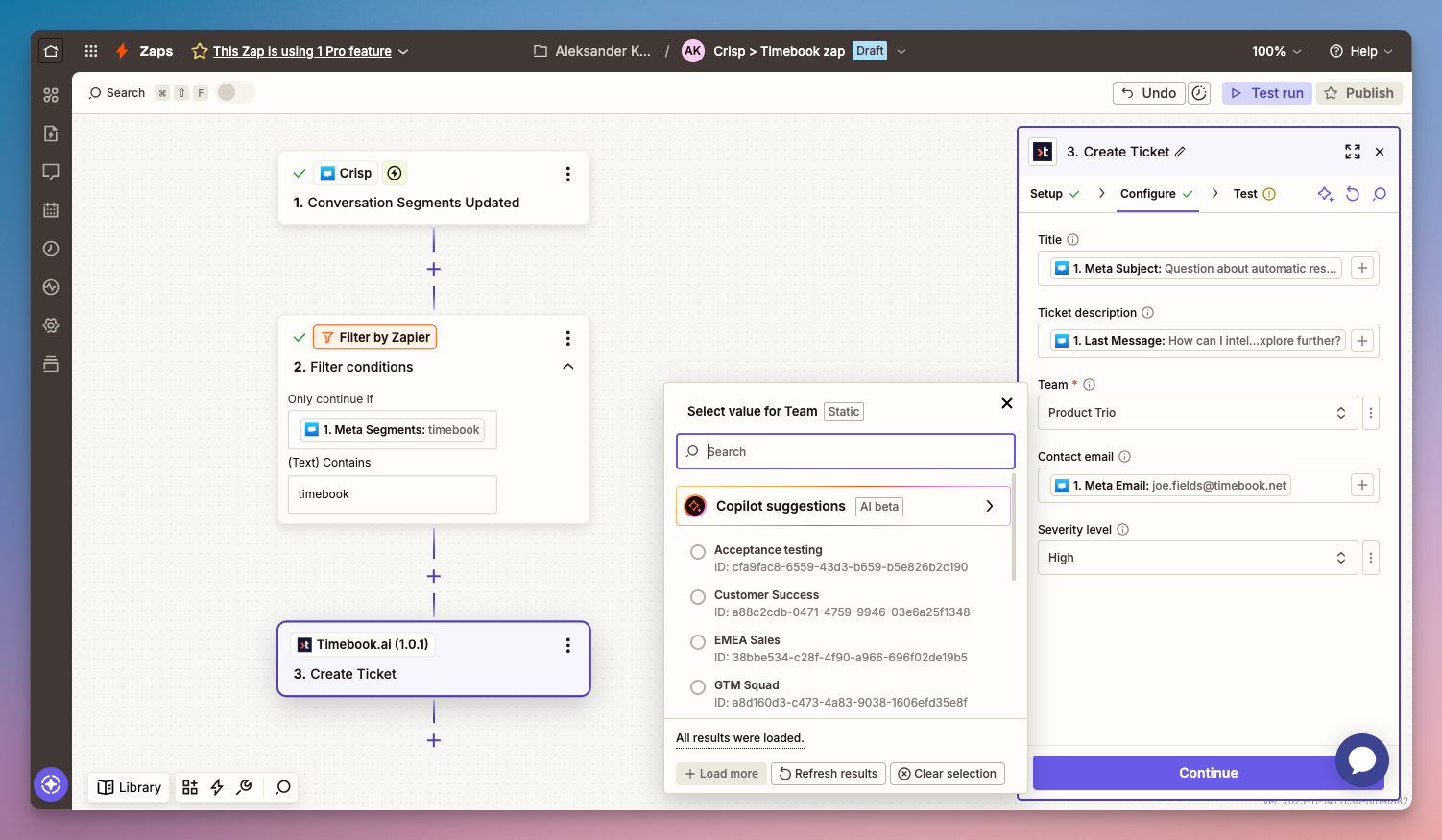
The last step is mapping the sources from Crisp to to Timebook. Here we populate 5 properties:

  • Title (dynamic) – the subject of the ticket

  • Ticket description (dynamic) – the contents of the ticket (e.g. the last message from the user)

  • Team (static) – the team to which the ticket will be assigned

  • Contact email (dynamic) – the email of the user whose message is forwarded

  • Severity (static) – the priority of the ticket: low, medium, high, urgent

Zap configuration: field mapping

Last updated

Was this helpful?