Zoom
About Zoom integration
Integration with Zoom allows you to schedule customer interviews in Timebook and automatically download the conversation transcript, which can be further turned to insights and opportunities.
Configuration
Please make sure your Zoom plan includes cloud recording. Otherwise, you will not be able to use post-recording discovery features.
Zoom
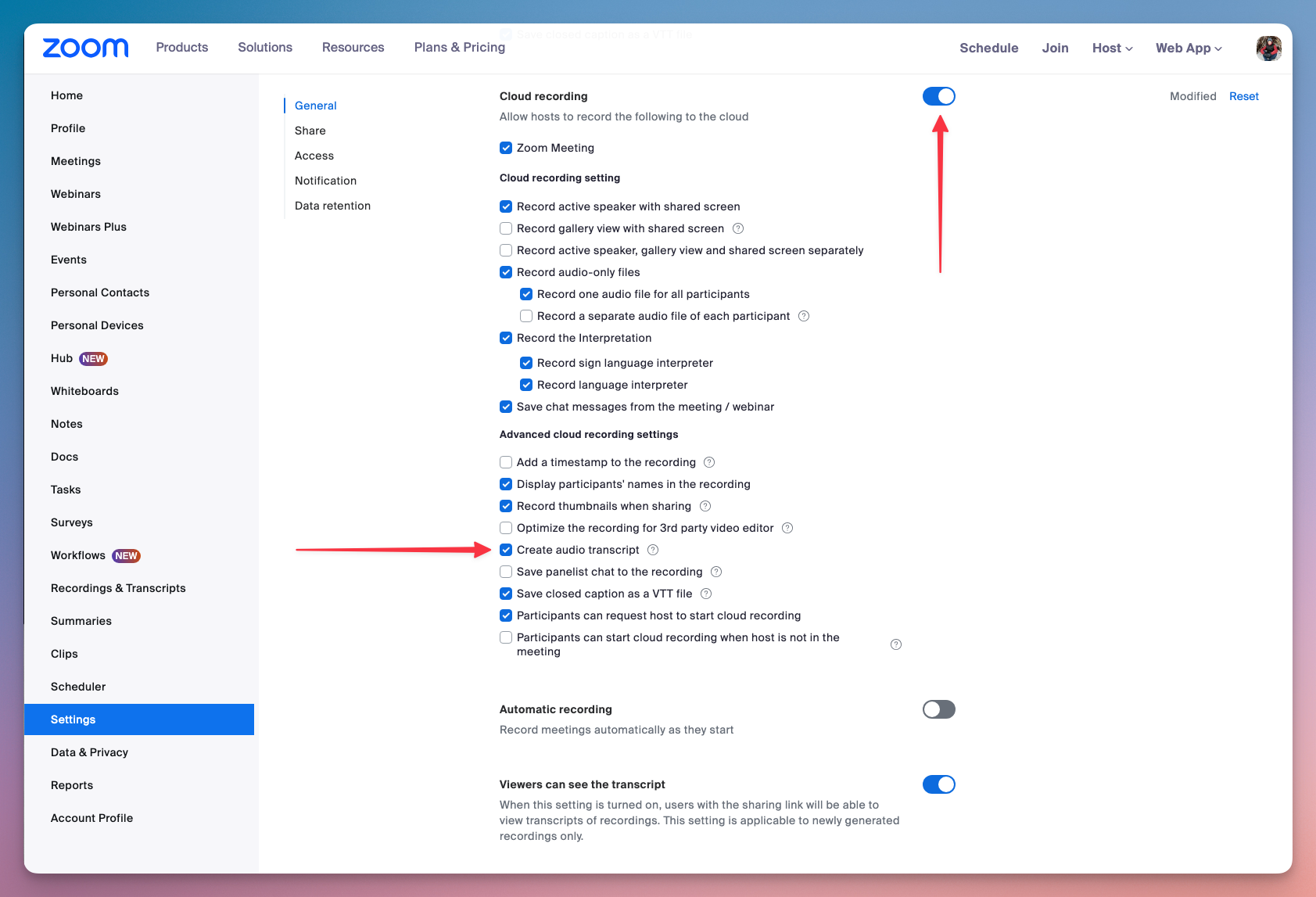
To allow Timebook to download and process audio transcripts, you must first enable audio transcription in your Zoom account.
Log in to your Zoom account and go to the Settings tab.
Enable the following features:
Cloud recording
Create audio transcript

Timebook
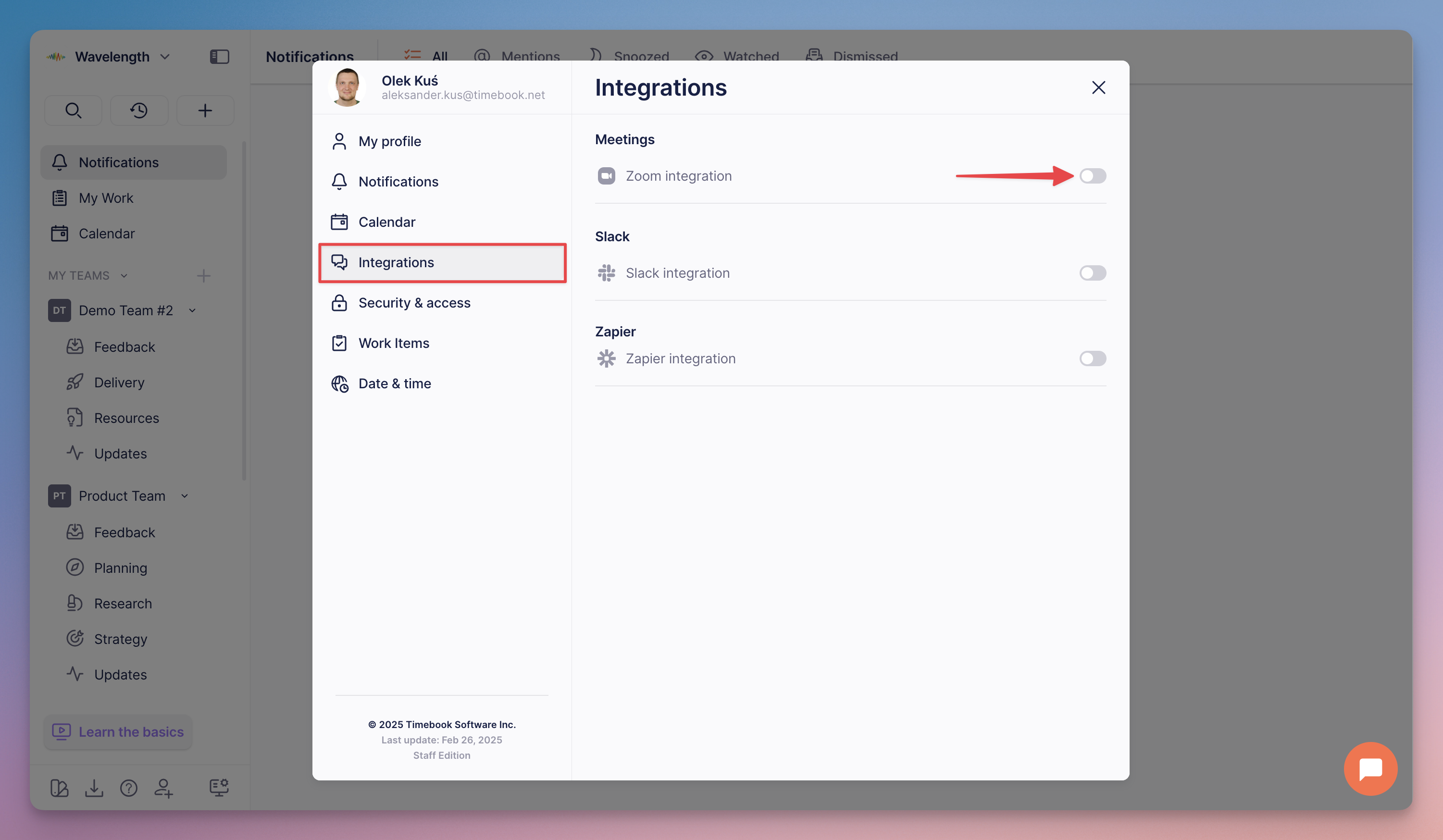
Zoom is a user-level integration, which means it needs to be enabled individually by each user who'd like to use it with Timebook.
Go to your user Preferences → Integrations and flip the Zoom switch.

Once prompted, log in to your Zoom account and allow access from Timebook.
Using Zoom with Timebook
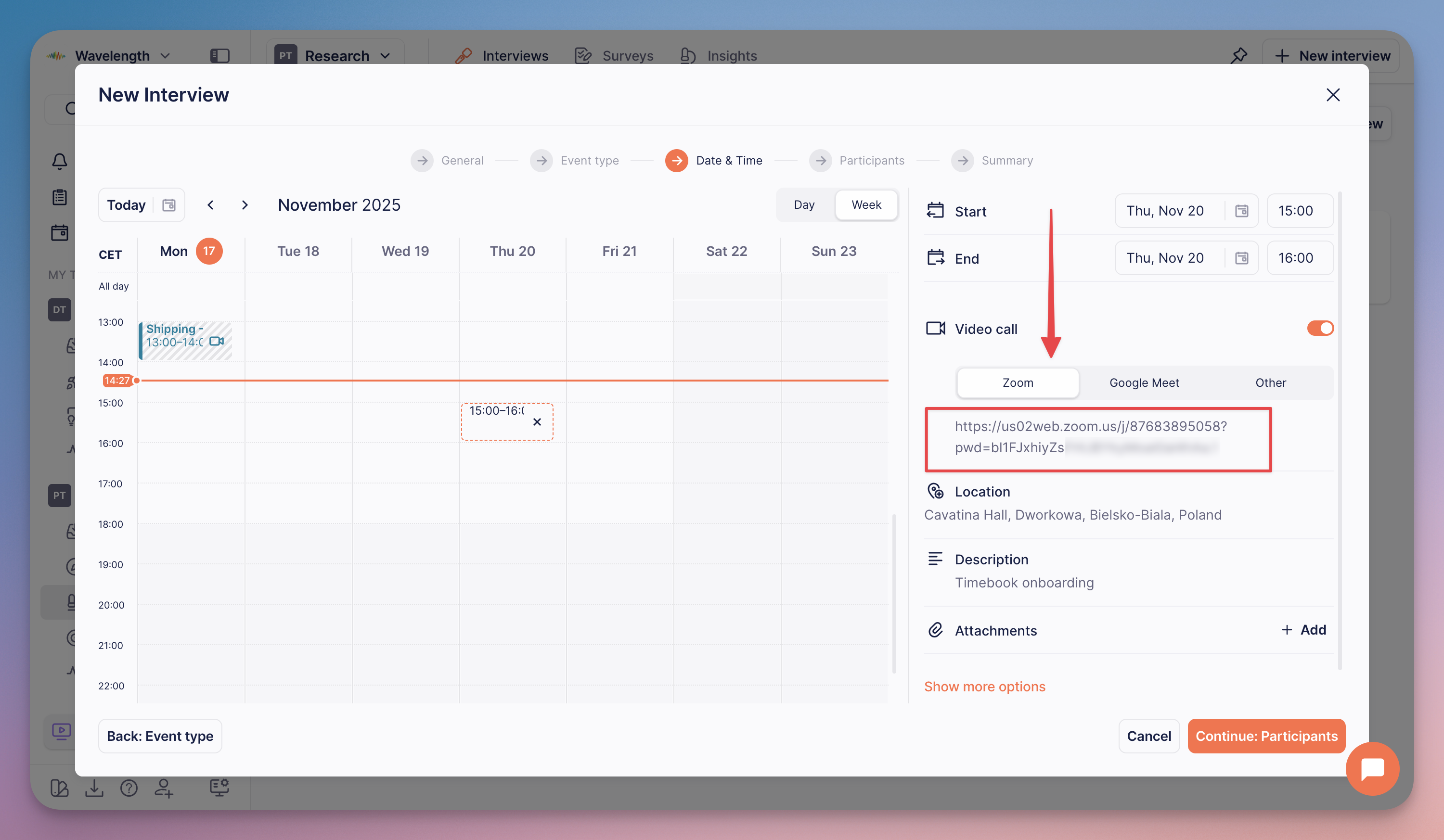
Once configured, Timebook will produce a video conference link for Zoom whenever you schedule a new interview:

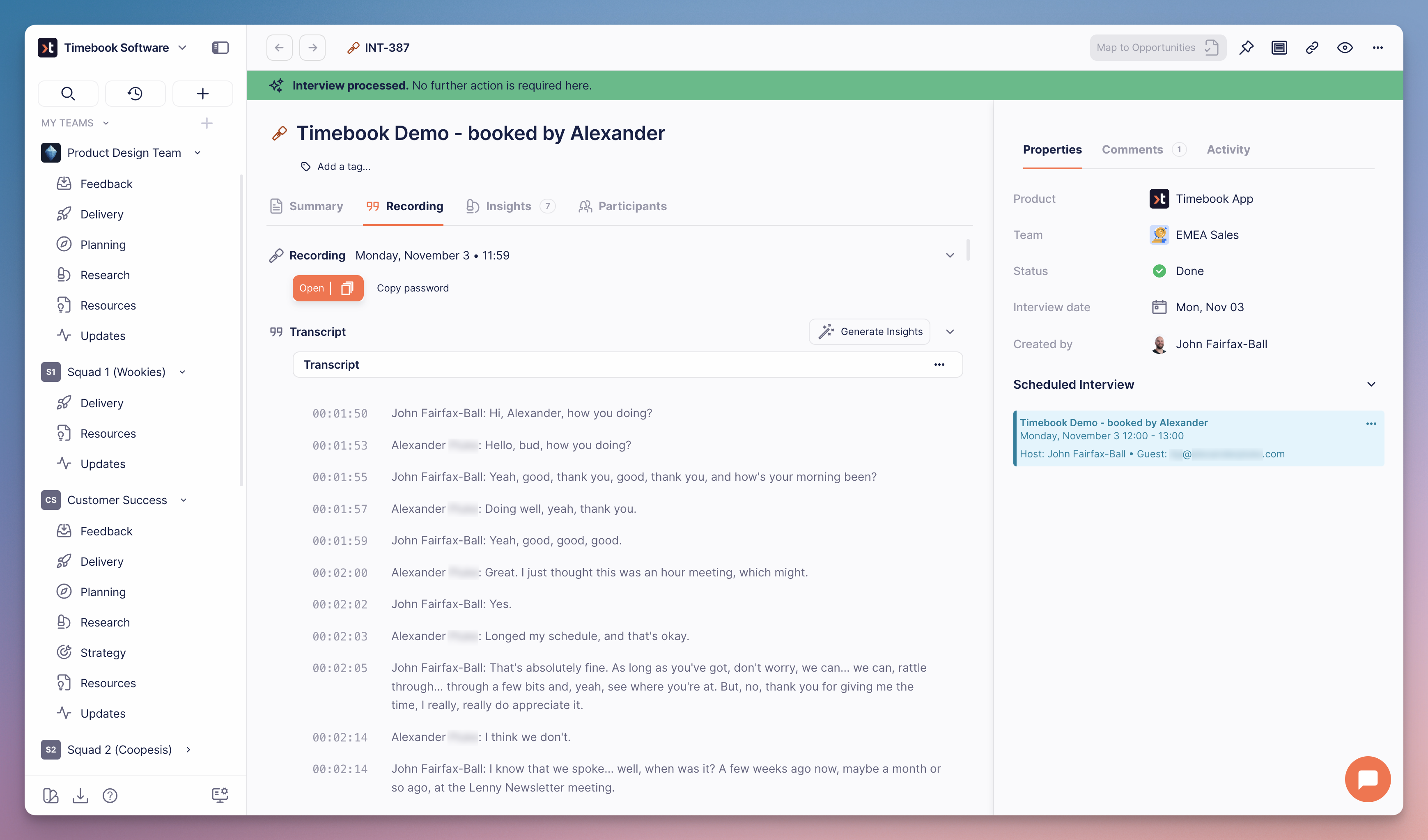
Once you finish the interview, the transcript will be automatically downloaded to the interview item. Here we can see an interview with attached transcript and recording:

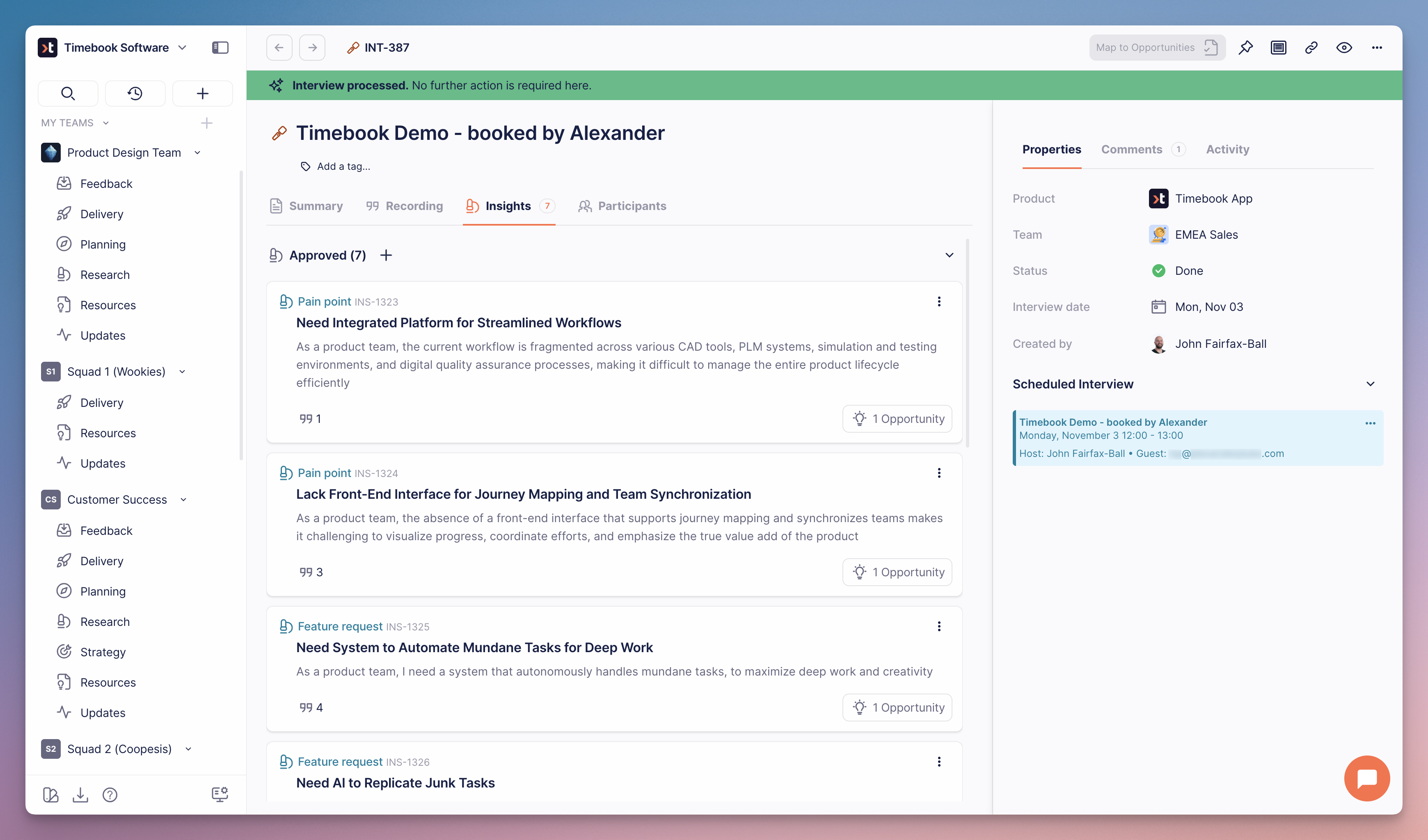
Using the transcript data, Timebook automatically generates insights (pain points and feature requests), from which you can generate achievable opportunities:

Last updated
Was this helpful?